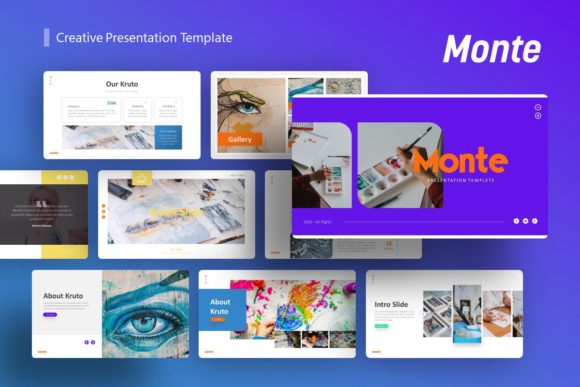
Monte Creative Presentation Template: A Designer’s Toolkit for Impact
In the world of professional presentations, the difference between a forgettable slideshow and a compelling story often comes down to the tools you use. The Monte Creative Presentation Template is one of those rare design assets that feels less like a template and more like a strategic partner. It’s built for creators who need to communicate ideas with clarity, visual polish, and a distinct personality—without spending hours starting from a blank slide.
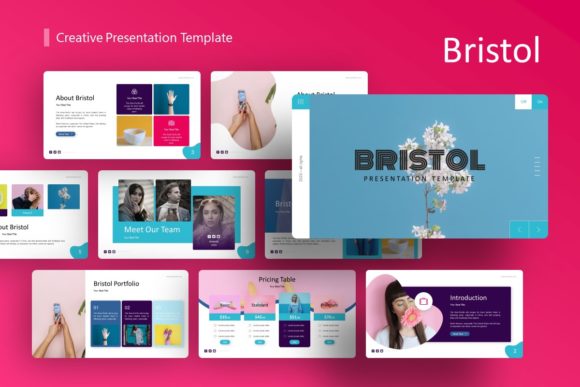
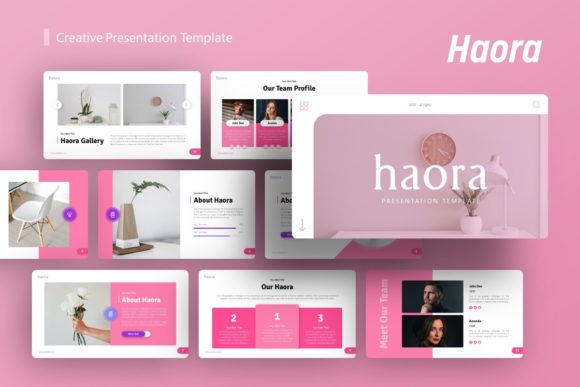
At its core, Monte is a premium presentation template characterized by a clean, modern aesthetic. It balances bold, engaging layouts with ample white space, ensuring your content never feels cluttered. The visual style leans contemporary and professional, with a thoughtful use of color blocks, crisp lines, and subtle geometric accents. This isn't a template that shouts; it confidently guides the viewer's eye, making complex information digestible and ideas feel approachable. Its overall appeal lies in this versatility—it can feel corporate and trustworthy for a startup pitch deck or creative and dynamic for a design agency portfolio.
Where This Template Truly Shines
The strength of the Monte Creative Presentation Template is its chameleon-like ability to adapt to different contexts. For creative agencies and design studios, it provides a structured yet stylish canvas to showcase case studies, team expertise, and service offerings. The handcrafted infographics are particularly useful here, turning dry data into engaging visual narratives. Startups and entrepreneurs will find its 36 meticulously designed slides invaluable for crafting a pitch deck that tells a coherent story—from problem and solution to market size and financials. The pixel-perfect illustrations help maintain a polished, investment-ready look.
Beyond business, its applications are surprisingly broad. Photographers and artists can use it to build a stunning portfolio, leveraging the picture placeholder feature to let their work take center stage. Bloggers and content creators can adapt it for webinar decks, online course materials, or social media content outlines. Even for personal projects, like planning a wedding or outlining a hobby-based business plan, Monte offers a level of sophistication that elevates the entire endeavor. It’s a tool that serves both commercial and personal projects with equal grace.
The Practical Impact on Your Brand and Workflow
Using a template like Monte does more than just make slides look good; it fundamentally influences how your message is received. A consistent, professional visual framework builds brand perception and trust. When every slide adheres to the same master slides, color palette, and typographic style, it creates a sense of visual hierarchy and consistency. Your audience isn’t distracted by mismatched fonts or erratic layouts—they can focus on your content. This consistency is a cornerstone of strong brand identity, reinforcing recognition every time you present.
From a workflow perspective, the time savings are substantial. The fact that all graphics are resizable and editable in PowerPoint means you aren't locked into a rigid design. You can easily customize colors to match your brand guidelines, swap out placeholder images with a simple drag-and-drop, and edit infographic elements to fit your specific data. This transforms the template from a static file into a dynamic system. The included vector icons and documentation file further streamline the process, providing the building blocks you need without external searches.
Making the Most of Your Design Assets
To truly leverage the Monte Creative Presentation Template, a bit of strategic thinking goes a long way. Start by evaluating its fit for your project. Does its modern, clean aesthetic align with your brand's personality? For a brand that uses a lot of script fonts and ornate details, you might need to adjust the template's sans serif typography to maintain harmony. This is where understanding font pairing becomes useful—the template's typography is designed for readability, but you can often introduce a complementary display font for headlines to add more character.
Test the flow of your content within its structure. The 36 slides offer a logical progression, but your story might need a different sequence. Don’t be afraid to duplicate, hide, or re-order slides to match your narrative. Pay close attention to the readability considerations already baked in; the template likely uses adequate font sizes and contrast. When adding your own text, maintain that standard. Finally, always review the licensing documentation included in the files. Understanding the terms of use for the template and its elements is crucial for any commercial project, ensuring you can use your final presentation with full confidence.
In essence, the Monte Creative Presentation Template is more than a collection of slides. It’s a thoughtfully crafted design asset that empowers you to communicate with greater impact, professionalism, and efficiency. It handles the heavy lifting of design and structure, freeing you to focus on what you do best: telling your unique story.